Managing your business finances can feel overwhelming, especially when you want accuracy and efficiency without spending hours on paperwork. What if there was a way to simplify your accounting tasks and keep everything organized in one place?
Odoo for Accounting offers just that—a powerful tool designed to make your financial management easier, faster, and more reliable. If you want to take control of your accounts, reduce errors, and save time, this article will show you how Odoo can transform the way you handle your business finances.
Keep reading to discover the benefits waiting for you.

Credit: nexevolve.com
Benefits Of Odoo For Accounting
Odoo offers many benefits for accounting tasks. It helps businesses manage finances easily and accurately. The software combines various accounting functions into one platform. This saves time and reduces the risk of errors. Companies can focus more on their core work and less on bookkeeping.
Streamlining Financial Processes
Odoo automates many accounting tasks. It simplifies invoicing, payments, and bank reconciliations. Users can create and send invoices quickly. The software tracks payments and updates records automatically. This reduces paperwork and speeds up financial workflows. Teams spend less time on routine tasks and more on analysis.
Reducing Manual Errors
Manual data entry often causes mistakes in accounting. Odoo minimizes these errors by automating entries. It checks for inconsistencies and alerts users to problems. Automatic calculations ensure accuracy in reports and statements. This leads to more reliable financial data. Companies avoid costly errors and compliance issues.
Real-time Financial Insights
Odoo provides up-to-date financial information anytime. Dashboards show key data like revenue, expenses, and profits. Businesses can monitor cash flow and budgets easily. Real-time insights help make quick, informed decisions. This visibility supports better planning and growth strategies.
Key Accounting Features In Odoo
Odoo offers a strong set of tools for managing accounting tasks efficiently. It helps businesses keep their financial records clear and accurate. The software covers many important areas of accounting. This section highlights key features that make Odoo a smart choice for accountants and business owners.
Automated Invoicing And Payments
Odoo creates invoices automatically based on sales orders or contracts. It sends invoices directly to customers without delay. Payment reminders can be scheduled to reduce late payments. The system supports multiple payment methods. This feature cuts down manual work and speeds up cash flow.
Bank Reconciliation Tools
The bank reconciliation tool matches bank statements with recorded transactions. It finds differences quickly and helps correct errors. Users can import bank statements easily into Odoo. This ensures that accounts always stay balanced and accurate. The tool saves time and avoids mistakes in financial records.
Expense Tracking And Management
Odoo allows employees to submit expenses for approval. Managers can review and approve expenses online. The system tracks all expenses by category and project. It helps businesses control spending and stay within budgets. Clear records of expenses make accounting simpler and more transparent.
Tax Compliance Automation
The software calculates taxes automatically based on local rules. It generates tax reports ready for filing with authorities. Odoo supports multiple tax types and rates. Updates keep tax rules current without manual changes. This feature reduces errors and ensures compliance with tax laws.
How Automation Enhances Efficiency
Automation in Odoo accounting boosts efficiency by reducing manual tasks. It helps teams focus on important work instead of routine chores. This leads to faster processes and fewer errors. Automation also connects different parts of the business for smooth operations. Let’s explore how automation improves accounting efficiency in detail.
Time-saving Workflows
Odoo automates many accounting steps, saving valuable time. Tasks like invoicing, payment reminders, and bank reconciliations run automatically. This cuts down the hours spent on repetitive work. Employees can complete tasks faster and handle more work each day. Time saved means better productivity and quicker financial reporting.
Improved Data Accuracy
Manual data entry often causes mistakes. Odoo automation reduces errors by handling data processing automatically. It ensures numbers match across documents and reports. Accurate data means reliable financial statements and fewer audits. Automation helps maintain clean records, building trust in your accounting system.
Seamless Integration With Other Modules
Odoo links accounting with sales, inventory, and purchasing modules. Automation shares data across these areas without manual input. This creates a single source of truth for all departments. It prevents delays caused by data mismatches or missing information. Integration helps the whole business run smoothly and stay coordinated.
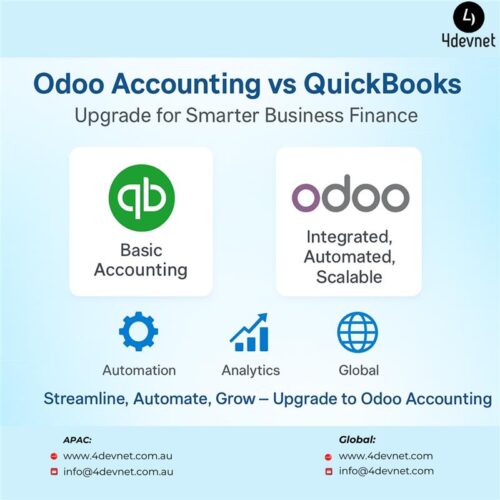
Credit: 4devnet.com.au
Setting Up Odoo Accounting For Your Business
Setting up Odoo Accounting for your business is an essential step. It helps you keep financial data organized and accurate. The process is simple and tailored to your business needs. Clear steps guide you through the setup to save time and reduce errors.
Start with the basic settings and move to more specific features. Each part of the setup ensures your accounting runs smoothly. Proper configuration supports better financial decisions and compliance.
Configuring Chart Of Accounts
The chart of accounts is the backbone of your accounting system. It lists all accounts where transactions are recorded. Customize it to fit your business structure and industry needs. Odoo offers default charts, but editing helps track money better. Use categories like assets, liabilities, income, and expenses. Clear account names make it easier to understand reports.
Customizing Payment Terms
Payment terms define how customers and suppliers pay or get paid. Set these terms based on your cash flow and business policies. Options include due dates, discounts for early payment, and penalties for late payments. Odoo allows easy changes to these terms for each partner. Clear payment terms improve cash management and reduce disputes.
Integrating With Banking Systems
Connecting Odoo with your bank saves time and reduces errors. It allows automatic import of bank statements and transaction matching. This integration supports real-time financial tracking and reconciliation. Choose your bank from Odoo’s supported list or use custom connections. Secure connections protect your financial data during transfers.
Best Practices For Maximizing Odoo’s Potential
Maximizing the potential of Odoo for accounting requires consistent effort and smart strategies. Proper use helps improve accuracy, save time, and keep financial data safe. Follow these best practices to make the most out of Odoo’s features and tools.
Regular Data Backup
Backing up data regularly prevents loss during errors or crashes. Set up automated backups to run daily or weekly. Store backups in a secure location away from the main system. Test the backups to ensure data can be restored easily. This habit protects your financial records and keeps business running smoothly.
User Training And Support
Train users on Odoo’s accounting features to reduce mistakes. Provide simple guides and video tutorials for easy learning. Encourage questions and offer quick support to solve issues. Well-trained users work faster and make fewer errors. Regular training updates help users stay confident and efficient.
Continuous System Updates
Keep Odoo updated with the latest versions and patches. Updates improve security and fix bugs that affect performance. Schedule updates during low-activity periods to avoid disruptions. Review update notes to understand new features and changes. Staying current ensures Odoo runs smoothly and securely.
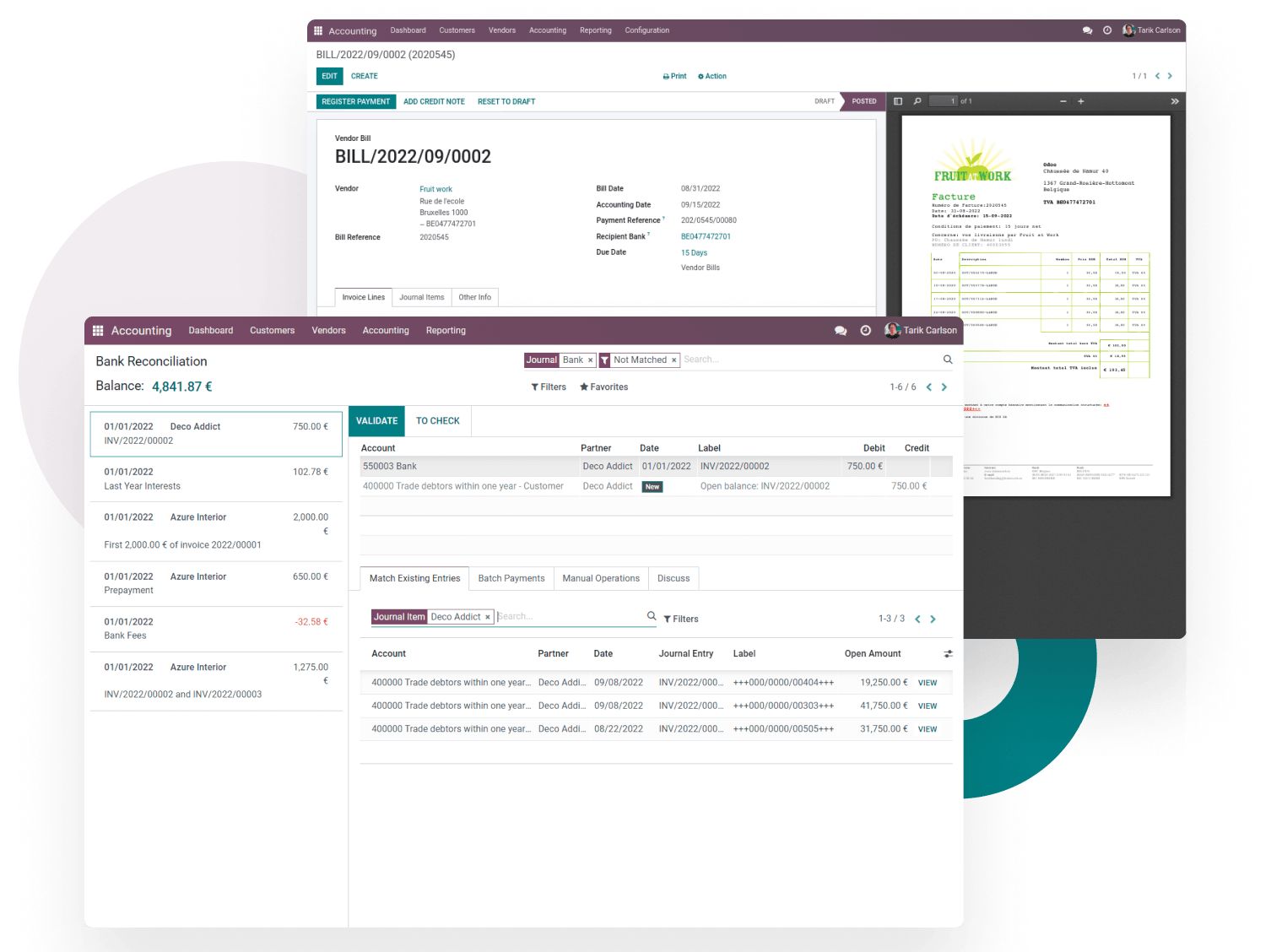
Credit: smarttek.solutions
Case Studies Of Odoo Accounting Success
Odoo Accounting has helped many businesses improve their financial processes. Real-life examples show how different companies use Odoo to solve their accounting challenges. These stories highlight how Odoo adapts to various business sizes and needs.
Small Business Automation
A small retail shop used Odoo to automate its invoicing and payments. This reduced manual errors and saved hours of work every week. The owner could track expenses easily and see clear financial reports. Automation helped the shop focus more on sales and less on paperwork.
Mid-sized Company Growth
A mid-sized manufacturing firm adopted Odoo Accounting to manage its growing transactions. The software streamlined billing, payroll, and tax calculations. This led to faster financial closing and fewer mistakes. The company gained better control over cash flow and budget planning.
Enterprise-level Financial Management
A large corporation integrated Odoo for its complex accounting needs across multiple departments. Odoo handled multi-currency transactions and consolidated financial statements smoothly. The system improved compliance with international accounting standards. Executives received real-time insights to make informed decisions.
How Our Company Can Help You with Odoo for Accounting
Practical Learning Opportunities with Odoo for Accounting
Understanding the benefits of Odoo for Accounting and its key features is only the first step. To truly leverage Odoo’s potential, practical learning is essential. Engaging with hands-on experiences allows business owners and managers to see firsthand how automation enhances efficiency, reduces manual errors, and streamlines financial workflows.
Consider these approaches to deepen your expertise:
- Experiment with setting up Odoo Accounting tailored to your business needs, focusing on customizing workflows and integrating relevant modules.
- Review case studies that showcase real-world applications and success stories, providing insight into best practices and innovative solutions.
- Participate in workshops or collaborate with consultants who understand diverse business processes and can guide digital transformation strategies.
This practical engagement not only builds confidence but also supports informed decision-making, ensuring your accounting system aligns perfectly with operational goals. For additional guidance or tailored support, reaching out to experienced Odoo consulting professionals can be a valuable resource.
Frequently Asked Questions
What Is Odoo For Accounting?
Odoo for Accounting is software that helps manage financial tasks easily and accurately.
How Does Odoo Simplify Bookkeeping?
Odoo automates data entry, tracks expenses, and organizes invoices in one place.
Can Odoo Handle Tax Calculations?
Yes, Odoo calculates taxes automatically based on your country’s rules and rates.
Is Odoo Suitable For Small Businesses?
Odoo is affordable and easy to use, making it ideal for small companies.
Does Odoo Support Multi-currency Transactions?
Odoo allows you to manage invoices and payments in different currencies smoothly.
How Secure Is Financial Data In Odoo?
Odoo uses strong security measures to protect your financial information from unauthorized access.
Conclusion
Odoo for Accounting helps simplify financial tasks. It saves time and reduces errors. Users can track expenses, invoices, and payments easily. The software fits many business sizes and types. It offers clear reports to support good decisions. Learning Odoo is straightforward for most people.
Try Odoo to see how it fits your needs. Managing your accounts can become less stressful. A reliable tool makes accounting work smoother. Choose a solution that grows with your business.
