Managing your expenses can quickly become overwhelming, especially when you want to keep your business running smoothly. What if you had a tool that makes tracking, approving, and reporting expenses simple and stress-free?
That’s exactly what Odoo for Expenses offers. Imagine saving time, reducing errors, and gaining complete control over your spending—all in one place. If you’re ready to transform how you handle expenses and boost your business efficiency, keep reading to discover how Odoo can make it happen for you.
Benefits Of Odoo For Expense Management
Managing expenses can be tough without the right tools. Odoo for Expense Management helps businesses handle expenses easily and clearly. It brings many benefits that improve how companies track and control spending. This section explains the key advantages of using Odoo for expense management.
Simplifying Expense Tracking
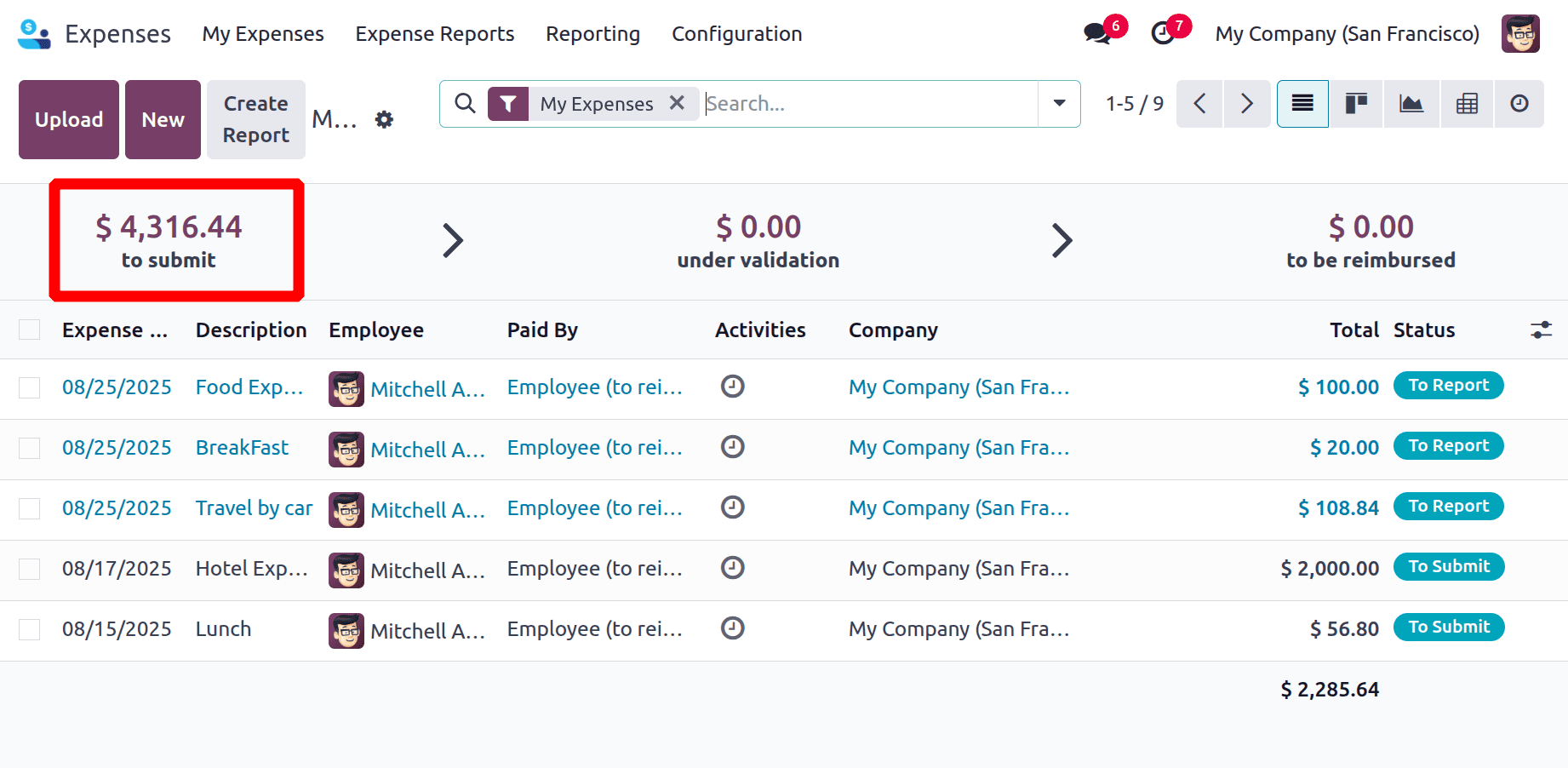
Odoo makes recording expenses fast and simple. Employees can submit expenses through a user-friendly interface. Receipts can be uploaded instantly using a smartphone or computer. The system organizes all expenses in one place for easy access. This reduces the time spent on manual entry and searching for documents.
Reducing Manual Errors
Manual expense tracking often leads to mistakes. Odoo automates calculations and data entry, lowering human errors. The software checks for duplicates and mismatches automatically. This ensures expense reports are accurate and reliable. Fewer errors mean smoother approval processes and fewer disputes.
Enhancing Financial Transparency
Odoo offers clear views of company spending. Managers can see detailed reports and track budgets in real time. This transparency helps spot unusual expenses quickly. It also supports better decision-making and financial control. Clear records build trust between teams and finance departments.

Credit: research.com
Setting Up Expense Modules In Odoo
Setting up the expense modules in Odoo is a straightforward process. It helps businesses track and manage employee expenses easily. Proper setup ensures accurate expense reporting and smooth approval workflows.
This section covers the key steps to get your expense module ready. From installing the app to configuring users and customizing categories, each step builds a solid foundation.
Installing Expense Apps
Start by installing the expense app from the Odoo app store. This app adds all the necessary features to manage expenses. Search for “Expenses” and click the install button. The installation takes just a few moments.
Once installed, you will see the expense module in your dashboard. This module allows employees to submit expenses and managers to approve them.
Configuring User Permissions
Next, set user permissions to control access. Assign roles based on job functions. Employees should only submit expenses. Managers need rights to approve or reject them.
Go to Settings > Users & Companies > Users. Edit each user and assign the correct expense permissions. This step keeps your expense process secure and organized.
Customizing Expense Categories
Customize expense categories to fit your business needs. Categories help group expenses like travel, meals, or office supplies. Go to the expense module settings and add or edit categories.
Clear categories make it easier to track and analyze spending. Make sure categories are simple and cover all common expense types.
Recording And Submitting Expenses
Recording and submitting expenses in Odoo is simple and fast. It helps employees track their costs clearly. Managers can review and approve expenses without delays. This process keeps the company’s budget on target. It also reduces errors in expense reports.
Odoo offers tools to enter expenses from anywhere. The system works well on both phones and computers. Employees can attach proof of purchase easily. Automation cuts down the time spent on manual entries.
Using Mobile And Desktop Interfaces
Odoo supports both mobile and desktop use. The mobile app lets users add expenses on the go. It is perfect for trips or business meetings. The desktop interface provides a full view of expense reports. Users can edit entries and add details with ease. Both platforms sync data instantly for accuracy.
Attaching Receipts And Documentation
Uploading receipts in Odoo is quick and simple. Users can snap photos using their phone cameras. They can also upload files directly from their desktop. All documents attach to the related expense automatically. This keeps records organized and easy to find. It helps managers verify expenses faster.
Automating Expense Entries
Odoo reduces manual work by automating expense entries. It can import transactions from bank accounts. The system suggests matches for expenses and receipts. Users only confirm or adjust the entries. Automation lowers mistakes and saves time. It speeds up the reimbursement process for employees.
Approval Workflow For Expenses
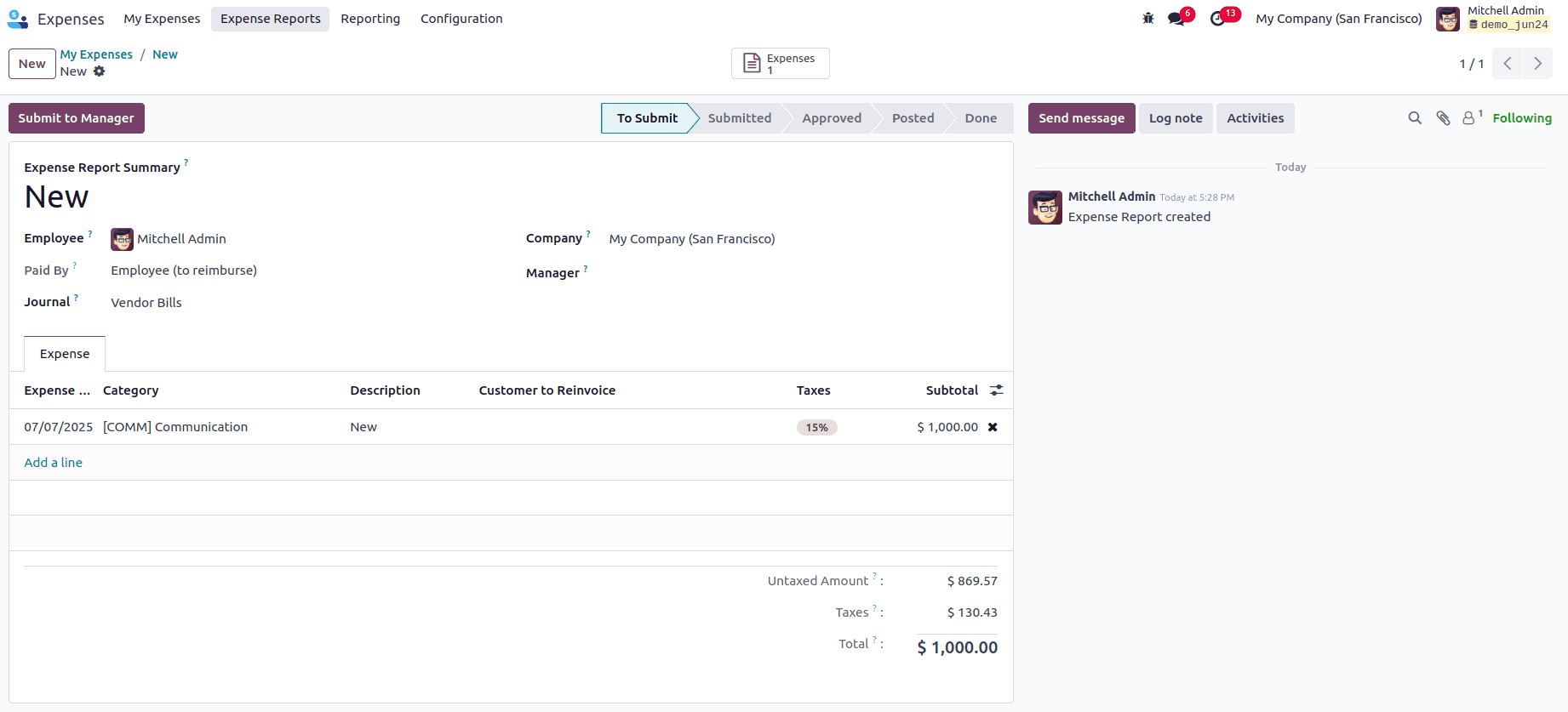
The approval workflow for expenses in Odoo simplifies managing company spending. It ensures every expense is checked and approved by the right people. This system reduces errors and prevents unauthorized payments. It helps companies keep control of their budgets and spending habits.
Using Odoo, businesses can set clear rules for who approves what expenses. The process is fast and transparent, making it easy to see the status of any expense report. Notifications keep everyone informed, so no step is missed. This structured workflow brings order to expense management.
Defining Approval Chains
Odoo allows you to create specific approval chains. You can decide which managers or departments must approve certain expenses. This setup matches your company’s rules and size. Approval chains can have multiple levels, ensuring important expenses get proper review. The system routes expense reports automatically to the right approver.
Automated Notifications And Alerts
Odoo sends automatic notifications when an expense needs approval. Approvers get emails or app alerts instantly. This speeds up the approval process and avoids delays. If an expense is rejected, the submitter is informed immediately. Alerts keep the workflow moving smoothly without manual follow-ups.
Tracking Approval Status
Tracking the status of each expense is simple in Odoo. Users see whether an expense is pending, approved, or rejected. This visibility helps employees know what to expect next. Managers can monitor the entire approval process in real-time. Clear tracking reduces confusion and improves communication.
Integrating Expenses With Accounting
Integrating expenses with accounting in Odoo simplifies financial management. It helps keep all expense data organized and connected to your accounts. This integration reduces errors and saves time by automating many tasks. It ensures accurate financial records and smooth workflows for your business.
Synchronizing Expense Data
Odoo syncs expense details directly with accounting entries. Each expense report updates the accounting system automatically. This keeps all financial data consistent across departments. No need for manual entry or double-checking numbers. Real-time synchronization helps track spending and budgets easily.
Generating Financial Reports
Expenses linked to accounting allow quick report creation. You get clear views of costs by category or project. Reports show trends and highlight areas for cost control. Accurate data improves decision-making and planning. Odoo’s reports are easy to read and export.
Streamlining Reimbursements
Odoo speeds up employee reimbursement processes. Expense claims flow directly into the accounting system. Managers can approve and process payments faster. Employees receive reimbursements without delays or confusion. This creates a smooth, transparent expense cycle for all.
Credit: www.cybrosys.com
Tips For Maximizing Efficiency With Odoo Expenses
Odoo Expenses is a powerful tool for managing company costs. Using it well saves time and reduces errors. Here are some tips to get the most from Odoo Expenses. These steps help improve your workflow and keep expenses under control.
Leveraging Analytics And Insights
Odoo Expenses offers detailed reports and charts. Use these to see spending trends clearly. Spot areas where costs are too high or unusual. Regularly review these insights to make smart decisions. This helps keep budgets on track and avoid surprises.
Setting Budget Controls
Create spending limits for departments or projects in Odoo. Set alerts to notify managers when nearing budget caps. This control stops overspending before it happens. Budget rules make expense management stricter and clearer for everyone.
Training Staff For Smooth Adoption
Train employees on how to use Odoo Expenses properly. Show them how to submit reports and attach receipts. Clear instructions reduce mistakes and speed up approvals. Good training means fewer questions and smoother daily use.
Credit: www.cybrosys.com
How Our Company Can Help You with Odoo for Expenses
Practical Learning with Odoo for Expenses
To truly harness the power of Odoo for managing expenses, hands-on experience with key features like setting up the expense module and navigating the approval workflow is essential. By actively recording and submitting expenses within the platform, users can gain confidence in streamlining their processes and reducing manual errors.
- Experiment with configuring the approval workflow to match your organization’s hierarchy, ensuring smoother expense validations.
- Integrate expenses with accounting to observe real-time financial impacts and improve reporting accuracy.
- Apply tips for maximizing efficiency, such as automating recurring expenses and leveraging mobile expense submissions.
These practical steps not only deepen understanding but also highlight opportunities for tailored optimizations, aligning with your business’s unique needs. For teams aiming to enhance collaboration and digital workflows, consulting experienced professionals who specialize in Odoo implementations can provide valuable insights. Should you require guidance or wish to explore customized solutions, reaching out to knowledgeable Odoo consultants can be a beneficial resource.
Frequently Asked Questions
What Is Odoo For Expenses And How Does It Work?
Odoo for Expenses helps track and manage employee costs easily in one place.
Can Odoo Automate Expense Report Approvals?
Yes, Odoo automates approvals to save time and reduce errors in expense reports.
How Does Odoo Simplify Employee Expense Tracking?
Employees can submit expenses online quickly using Odoo’s user-friendly interface.
Does Odoo Integrate Expenses With Accounting?
Odoo links expenses directly to accounting, keeping your financial data accurate.
Can Odoo Handle Multi-currency Expense Management?
Yes, Odoo supports multiple currencies for global businesses managing expenses worldwide.
Is Odoo Customizable For Different Company Expense Policies?
Odoo allows customization to fit unique company rules and expense approval workflows.
Conclusion
Odoo for Expenses helps track and manage costs easily. It saves time by automating expense reports and approvals. Teams stay organized and reduce errors with clear records. Using Odoo, companies control spending and improve budget planning. The system fits different business sizes and needs.
Try it to simplify your expense process and keep finances clear. A smart choice for better expense management.
