Are you looking for a way to simplify your shop’s sales process and boost your business? Odoo and POS Shop could be the perfect solution for you.
Imagine having a system that helps you manage sales, inventory, and customer data all in one place—without any hassle. This powerful combination can transform how you run your shop, making every transaction smoother and more efficient. Keep reading to discover how Odoo and POS Shop can make your daily operations easier and help your business grow faster.
Benefits Of Integrating Odoo With Pos
Integrating Odoo with a Point of Sale (POS) system brings many benefits to shops and retailers. This combination makes daily tasks easier and helps run the business smoothly. It connects sales, inventory, and customer data in one place.
Such integration saves time and reduces errors. It allows shop owners to focus more on their customers and less on manual work. Let’s explore the main benefits of using Odoo with POS systems.
Streamlined Sales Processes
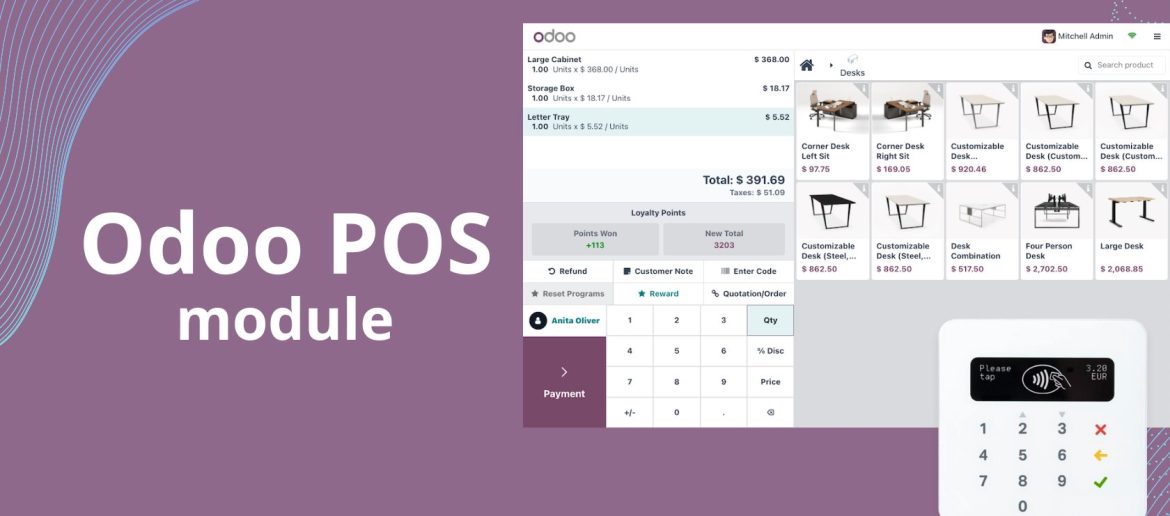
Odoo and POS integration simplifies the sales process. Cashiers can quickly process payments and issue receipts. Sales data updates automatically in the system. It removes the need for double entry and saves time.
This setup also supports multiple payment methods. It makes transactions faster and more convenient for customers. Shops can handle busy hours without delays or confusion.
Real-time Inventory Management
Inventory updates in real-time with every sale. Shop owners always know what products are in stock. It helps avoid selling items that are out of stock. This accuracy reduces mistakes and customer complaints.
Automatic alerts can notify when stock runs low. It supports timely restocking and better supply management. This leads to fewer lost sales and smoother operations.
Enhanced Customer Experience
Customers enjoy faster and smoother checkout processes. Staff can access customer histories to offer personalized service. This creates a friendly and efficient shopping experience.
Odoo and POS integration also helps run loyalty programs. It tracks points and rewards easily. Customers feel valued and are more likely to return.
Credit: www.cybrosys.com
Key Features Of Odoo Pos
Odoo POS offers a range of features designed to make retail operations smooth and efficient. It helps businesses manage sales quickly and accurately. The system fits well with various types of shops, from small boutiques to large stores. Understanding its key features can help you see why many choose Odoo POS for their point of sale needs.
User-friendly Interface
The interface is simple and clean. It lets employees process sales without confusion. Buttons and menus are clear and easy to read. The design reduces mistakes and speeds up the checkout process. Training new staff takes less time. Even those with little tech experience can use it easily.
Multi-device Compatibility
Odoo POS works on many devices. Use it on tablets, smartphones, and desktop computers. This flexibility helps shops run sales anywhere. Whether at the counter or on the floor, it stays connected. The system syncs data across all devices. This keeps inventory and sales records accurate and up-to-date.
Flexible Payment Options
The POS supports many payment types. Accept cash, credit cards, and mobile payments without trouble. Customers enjoy more choices at checkout. The system securely handles each transaction. It also manages split payments and refunds easily. This flexibility improves customer satisfaction and boosts sales.
Setting Up Odoo Pos For Your Shop
Setting up Odoo POS for your shop is straightforward. It helps manage sales smoothly and improves customer experience. Follow these steps to get your POS system ready quickly.
Installation And Configuration
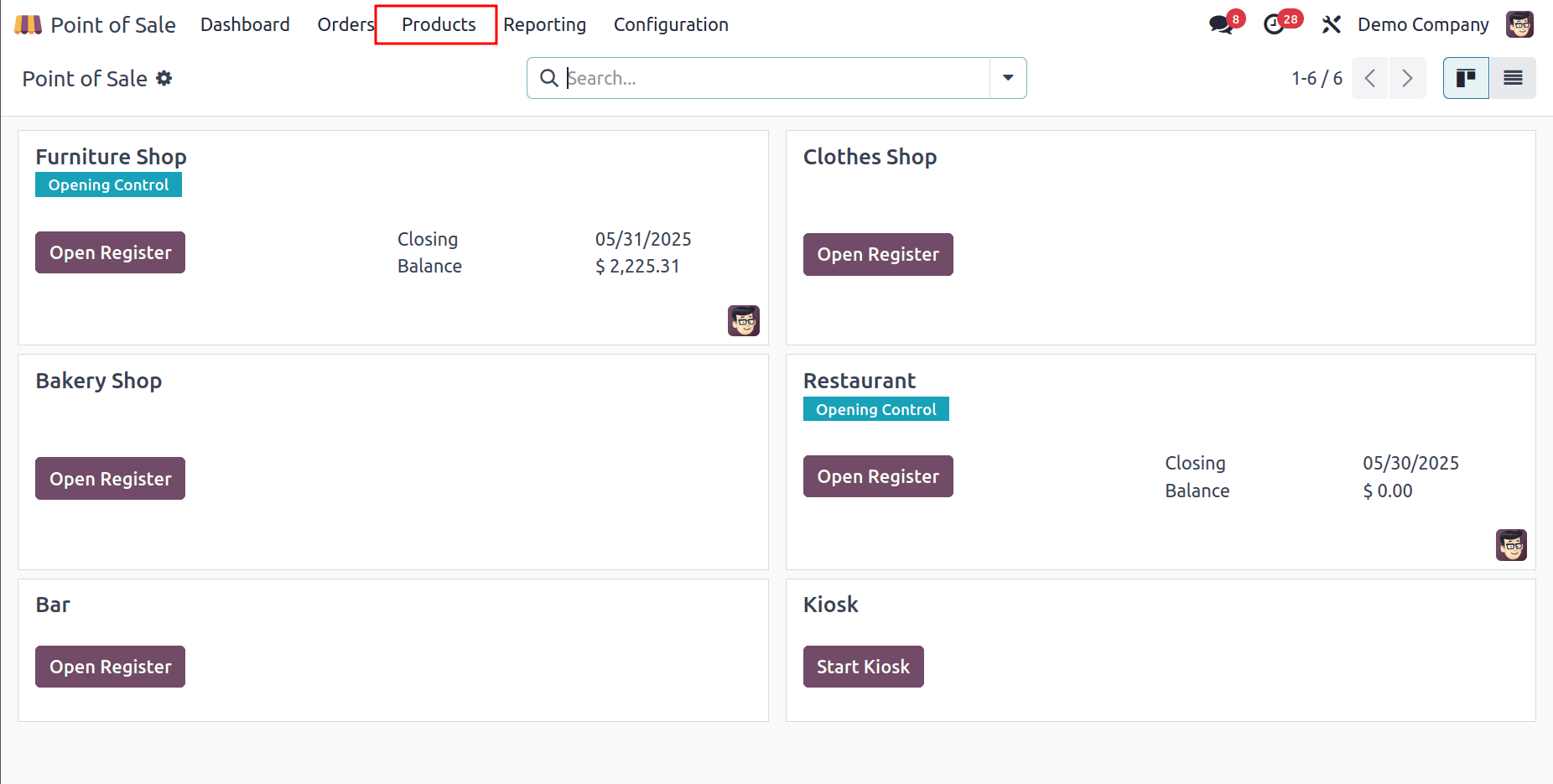
Start by installing the Odoo POS module from the Odoo app store. The installation takes just a few minutes. After installation, go to the Point of Sale menu. Create a new POS session by entering your shop details. Set the payment methods you want to accept. Save the settings to activate your POS system.
Customizing Pos Settings
Adjust the POS interface to fit your shop’s needs. Choose the language and currency for your customers. Enable features like barcode scanning and customer display. Set tax rules and discounts based on your shop policies. Personalize the look by adding your logo and color scheme. These tweaks help your staff work faster and improve customer service.
Connecting Hardware Devices
Link hardware devices such as receipt printers and barcode scanners. Connect your devices via USB or Bluetooth as supported. Test each device to ensure it works with the POS system. Attach cash drawers to open automatically after each sale. Proper hardware setup makes the checkout process smooth and fast.
Credit: smarttek.solutions
Managing Inventory With Odoo Pos
Managing inventory is a key part of running a successful shop. Odoo POS helps simplify this task by keeping your stock organized and updated. It makes tracking products easy and reduces errors in inventory counts.
Odoo POS connects your sales directly to your stock. This connection helps you keep the right amount of products in your store. You avoid running out or having too much stock. The system works smoothly with your shop’s needs.
Automatic Stock Updates
Odoo POS updates your stock automatically after each sale. No need to count items manually. The system reduces mistakes and saves time. It shows real-time stock levels on your screen. You always know what is available to sell.
Tracking Product Variants
Many products come in different sizes, colors, or styles. Odoo POS helps track these variants separately. You see which variant sells more and which needs restocking. This feature helps keep your inventory accurate and clear.
Handling Returns And Exchanges
Returns and exchanges can cause confusion in stock levels. Odoo POS manages these processes smoothly. It updates inventory as items return to the store or leave again. This keeps your stock data correct and up to date.
Improving Customer Engagement
Improving customer engagement is key for any retail business. Odoo and POS Shop together help create strong connections with customers. They offer tools that keep customers coming back and make shopping easier and more fun.
Loyalty Programs Integration
Loyalty programs reward customers for their purchases. Odoo POS Shop makes it simple to set up these programs. Customers earn points and get discounts on future buys. This encourages repeat visits and builds trust.
Personalized Promotions
Odoo allows shops to send offers based on customer habits. Personalized promotions feel special to buyers. They increase the chances of a sale. Customers notice when offers match their needs.
Collecting Customer Feedback
Feedback helps improve the shopping experience. Odoo POS Shop lets shops gather customer opinions easily. Quick surveys or ratings show what works and what doesn’t. Acting on feedback keeps customers happy and loyal.
Analyzing Sales Data
Analyzing sales data is key to running a successful Odoo and POS shop. It helps you understand how your business performs. Clear insights guide better decisions for sales and inventory. Tracking sales trends shows what works and what needs change.
Generating Sales Reports
Odoo lets you create detailed sales reports quickly. These reports show total sales, returns, and discounts. You can filter data by date, product, or salesperson. Reports help spot busy times and slow periods. Regular reports keep you informed about shop performance.
Identifying Best Sellers
Find your top-selling products using Odoo’s tools. Best sellers bring steady revenue and attract customers. Knowing these items helps manage stock better. Focus on popular products to improve marketing and sales. It also helps reduce storage of slow-moving goods.
Forecasting Demand
Use sales data to predict future customer needs. Odoo analyzes past trends to estimate demand. Forecasting prevents running out of stock or overbuying. Accurate forecasts save money and improve customer satisfaction. Plan purchases and promotions based on these insights.
Tips For Maximizing Sales With Odoo Pos
Odoo POS is a strong tool to increase sales in any shop. Using it well can bring better results fast. Simple steps can help you get the most from this system. These tips help improve how your staff works, how your store looks, and how you reach customers.
Focus on easy methods. Small changes can lead to big sales growth. Use these ideas to make your shop run smoother and attract more buyers.
Training Staff Effectively
Well-trained staff use Odoo POS with confidence. Teach them how to handle sales and returns quickly. Show clear steps for using the system. Practice helps staff avoid mistakes and work faster. Good training means happier customers and more sales.
Optimizing Store Layout
Arrange your shop to guide customers easily. Place popular items near the front or checkout. Use signs to direct attention to deals. Keep pathways clear for smooth movement. A neat layout helps customers find things and buy more.
Leveraging Marketing Tools
Odoo POS has built-in marketing features. Use discounts and loyalty programs to attract buyers. Send simple messages to inform customers of sales. Track what sells best to plan offers. These tools help keep customers coming back.
Credit: smarttek.solutions
How Our Company Can Help You with Odoo And Pos Shop
Practical Learning with Odoo and POS Shop
To fully leverage Odoo POS for your shop, hands-on experience is invaluable. Exploring features such as managing inventory and analyzing sales data can clarify how digital transformation streamlines daily operations and informs strategic decisions. Practical learning might include:
- Simulating inventory updates in Odoo POS to understand stock management dynamics.
- Reviewing sales reports regularly to identify trends and optimize product offerings.
- Engaging with customer profiles to enhance personalized service and boost engagement.
For business owners and managers, adopting tailored Odoo solutions requires a confident, informed approach. Collaborating with consultants who specialize in optimizing Odoo for diverse business needs can accelerate this learning curve, ensuring efficient operational workflows and stronger team collaboration.
Should you need guidance or want to discuss specific challenges, reaching out to experienced Odoo consultants can provide practical insights aligned with your growth goals. This support complements your efforts to maximize sales and improve customer experiences through Odoo POS.
Frequently Asked Questions
What Is Odoo Pos And How Does It Work In Shops?
Odoo POS is a point-of-sale system that helps shops sell products quickly. It runs on computers or tablets and connects with inventory.
Can Odoo Pos Integrate With Inventory Management?
Yes, Odoo POS updates stock levels instantly when sales happen, helping shop owners track inventory easily and avoid running out.
What Types Of Shops Benefit Most From Odoo Pos?
Small to medium retail shops, cafes, and boutiques find Odoo POS useful for fast billing and inventory control.
How Easy Is It To Set Up Odoo Pos In A Store?
Odoo POS has a simple setup process with step-by-step guides, making it easy even for users with little tech experience.
Does Odoo Pos Support Multiple Payment Methods?
Yes, it supports cash, credit cards, and mobile payments, giving customers flexible payment options at checkout.
Can Odoo Pos Work Offline In Shops With Poor Internet?
Odoo POS can work offline, saving sales data locally and syncing automatically when the internet reconnects.
Conclusion
Odoo and POS Shop work well together to help businesses run smoothly. They make sales, inventory, and customer management easier. Using these tools saves time and reduces mistakes. Small shops and big stores both benefit from this system. It helps keep everything in one place.
Choosing Odoo with POS Shop can improve daily operations. Simple steps lead to better business results. The right tools make work less stressful and more efficient. Consider how Odoo and POS Shop fit your business needs. Success grows with easy-to-use software by your side.
