Are you tired of juggling endless files and struggling to keep your documents organized? Imagine having a tool that not only stores your important files but also makes managing, sharing, and tracking them effortless.
That’s exactly what Odoo for Documents offers. Whether you’re running a small business or managing a team, this powerful platform puts control of your documents right at your fingertips. Keep reading to discover how Odoo can transform your document management and save you time every single day.
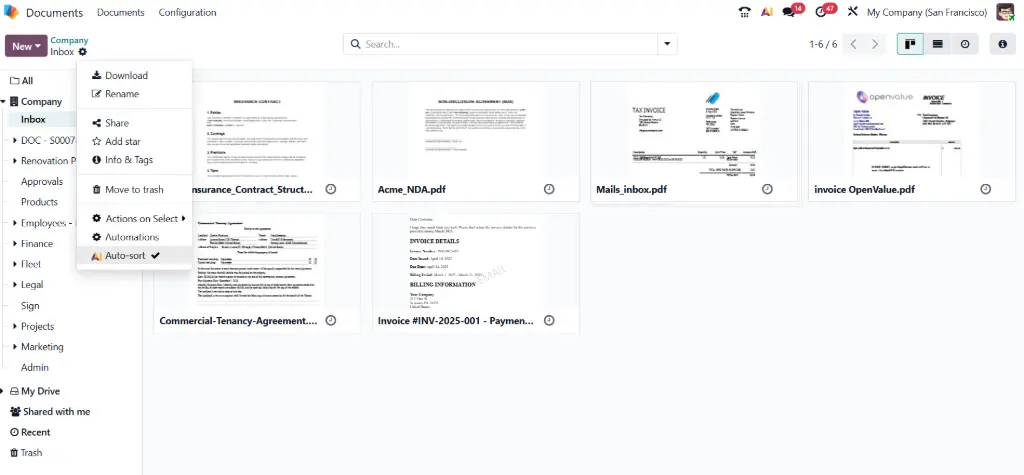
Credit: www.odoo-bs.com
Benefits Of Odoo Document Management
Odoo Document Management offers many clear benefits for businesses. It helps organize files better and makes work smoother. Teams can work together more easily. Data stays safe and secure. This system saves time and reduces errors.
Centralized Document Storage
Odoo stores all documents in one place. No more searching through many folders. Everything is easy to find and access. This saves time and avoids confusion. Teams can see the latest files anytime. It also reduces the risk of losing important papers.
Improved Collaboration
Teams can work on documents together in real time. Comments and changes are visible to everyone. This speeds up decision-making and approval processes. Everyone stays updated with the latest information. It creates smooth communication and fewer mistakes.
Enhanced Security Features
Odoo protects documents with strong security tools. Access rights control who can see or edit files. Data is encrypted to keep it safe from hackers. The system tracks all changes for accountability. This builds trust and protects sensitive information.
Key Features Of Odoo For Documents
Odoo for Documents offers a strong set of features to manage files easily. These tools help teams work better and keep documents safe. The system is built to save time and reduce mistakes.
Here are some key features that make Odoo for Documents a reliable choice for any business.
Version Control And Tracking
Odoo keeps all document versions automatically. You can see changes made by team members. It helps avoid confusion over which file is current. Users can restore older versions if needed. This feature ensures all work stays organized.
Automated Workflows
Workflows in Odoo simplify document handling. Files move through steps without manual input. Notifications alert users when action is required. This speeds up approvals and reviews. Automation reduces delays and human errors.
Access Control And Permissions
Odoo lets you set who can see or edit documents. Permissions keep sensitive files secure. You control access by role or individual user. This ensures only the right people work on specific documents. It protects company information effectively.
Setting Up Document Management In Odoo
Setting up document management in Odoo helps organize files efficiently. It simplifies storing, sharing, and tracking documents within your company. Proper setup ensures smooth workflows and easy access to important information.
Installation And Configuration
Start by installing the Documents app from the Odoo app store. The process is quick and requires minimal technical skill. After installation, configure basic settings like storage limits and user permissions. Set rules for file types and folder structure to keep files organized.
Integrating With Other Odoo Apps
Odoo Documents works well with other Odoo apps like Sales, Purchase, and HR. Connect these apps to link documents directly to your business processes. This integration saves time by reducing the need to switch between apps. It also keeps all related documents in one place.
Customizing For Business Needs
Adjust the Documents app to fit your company’s needs. Create custom folders and tags for easier file sorting. Set user roles to control who can view or edit documents. Use automated actions to streamline repetitive tasks like approvals or notifications.
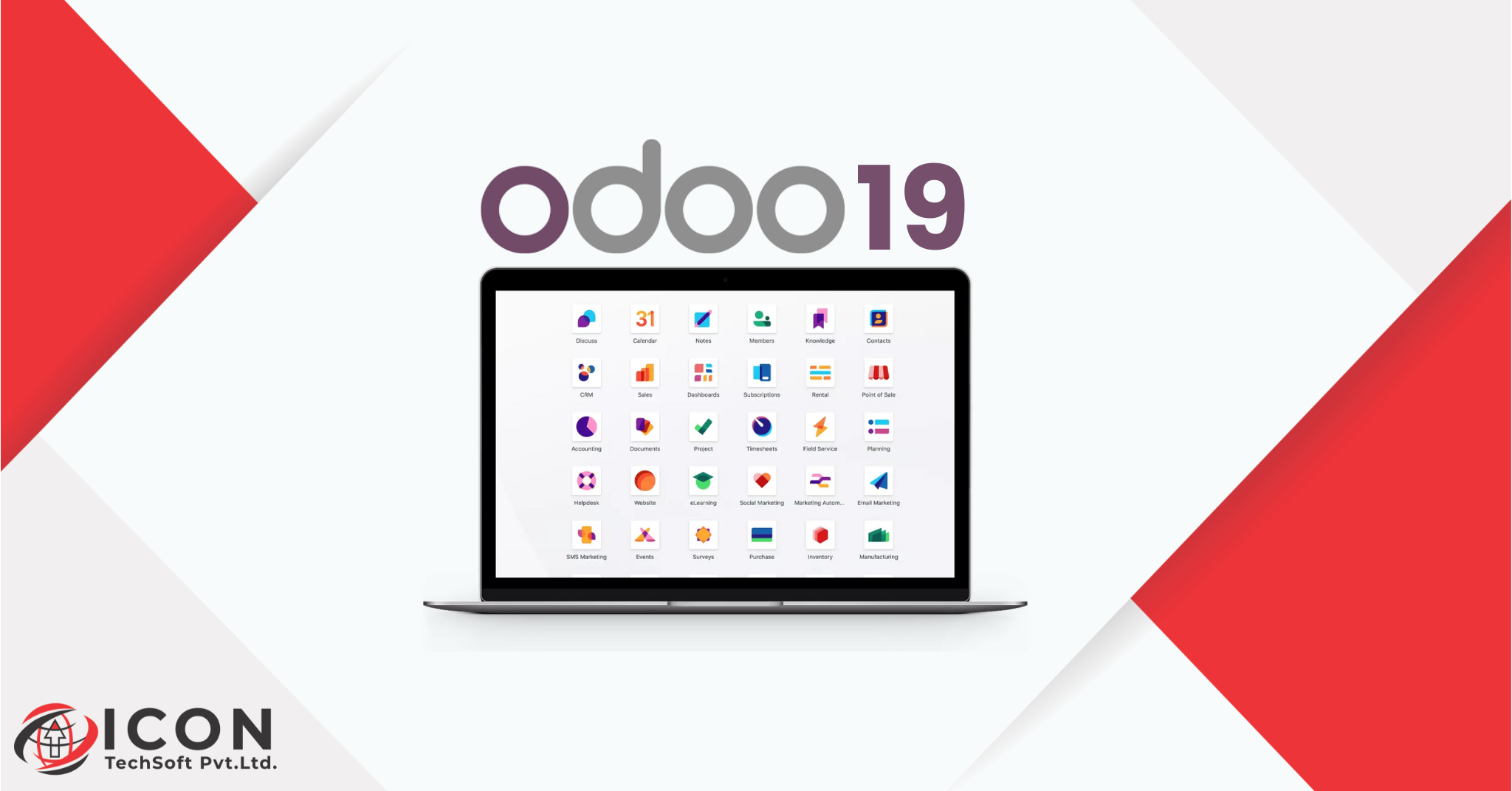
Credit: icontechsoft.com
Streamlining Business Processes
Streamlining business processes is key to improving efficiency and saving time. Odoo for Documents helps businesses handle their paperwork smoothly. It organizes tasks and reduces delays. This makes daily work easier for teams.
By using Odoo, businesses can manage documents faster. The system removes many steps that slow down work. This leads to better productivity and fewer mistakes.
Automating Document Approvals
Odoo automates the approval process for documents. It sends files to the right person without delay. Users get notifications to review and approve quickly. This cuts down waiting time and keeps projects moving.
Automated approvals reduce the need for manual follow-ups. Everyone knows the status of documents in real-time. This brings clarity and speeds up decision-making.
Reducing Manual Errors
Manual data entry often causes errors in documents. Odoo minimizes these mistakes by automating data capture. It checks information for accuracy before saving it. This helps keep documents reliable and consistent.
Reducing errors means less rework and fewer problems. Teams can trust the information they use every day. This improves overall business quality and customer satisfaction.
Accelerating Information Retrieval
Finding documents quickly is vital for smooth work. Odoo stores files in a well-organized system. Users can search by keywords, dates, or tags instantly. This saves time spent searching through piles of paper.
Fast access to information helps teams respond faster. It supports better communication and faster problem-solving. This keeps business operations running without interruptions.
Ensuring Document Security
Protecting documents is a top priority for any business. Odoo offers strong features to keep files safe. It helps stop unauthorized access and data loss. Secure documents mean peace of mind for users and clients.
Odoo uses advanced methods to secure files. These methods include encryption, user controls, and legal compliance. Each part plays a key role in document security.
Data Encryption And Backup
Odoo encrypts data to protect files from hackers. Encryption changes data into a secret code. Only those with the right key can read it.
Regular backups keep copies of important files. Backups help restore data after loss or damage. Odoo automates backups to ensure no file is lost.
User Authentication Methods
Odoo uses strong ways to check user identity. Passwords, two-factor authentication, and biometric options are available. These methods stop unauthorized users from entering the system.
Users get different access levels. This limits who can view or edit documents. It keeps sensitive information safe inside the company.
Compliance With Regulations
Odoo follows important laws on data protection. It helps businesses meet rules like GDPR and HIPAA. Compliance avoids legal trouble and builds trust.
Odoo tracks who accesses documents and when. This audit trail supports transparency and security. It shows the company takes document safety seriously.
Simplifying Daily Document Tasks
Managing documents can be a daily challenge for many businesses. Odoo for Documents makes these tasks easier and faster. It helps organize, share, and find documents without stress. This tool supports smooth workflows and saves time.
Easy Document Sharing
Odoo allows quick sharing of files with teams. You can control who sees or edits documents. Sharing is simple and secure. This keeps everyone updated and avoids confusion.
Mobile Access And Remote Work
Access your documents from any device, anywhere. Odoo supports mobile use, perfect for remote work. Stay connected and productive outside the office. No need to wait for a computer.
Search And Filter Capabilities
Find documents fast using smart search tools. Odoo lets you filter by date, type, or tags. This saves time spent on hunting files. Locate important papers in just a few clicks.
Case Studies And Success Stories
Many companies use Odoo for Documents to improve how they handle files. Real examples show its impact across different business sizes. These stories help understand how Odoo fits various needs.
Small Business Use Cases
Small companies use Odoo to organize invoices and contracts. They save time by automating document storage. This helps staff focus on customer service. Odoo also reduces paper use, cutting office costs.
Enterprise-level Implementations
Large firms integrate Odoo with other software for smooth workflows. They manage thousands of documents daily without errors. Teams across locations share files securely. Odoo supports complex approval processes and compliance rules.
Measurable Efficiency Gains
Users report faster document retrieval and fewer mistakes. Automation cuts manual tasks by up to 40%. Document version control prevents confusion and data loss. These gains improve overall productivity and reduce stress.
Credit: github.com
Future Trends In Document Management
Document management is evolving fast. New technologies make handling documents easier and smarter. Businesses want systems that save time and reduce errors. Odoo is adapting to these changes by adding new features. These trends show where document management is heading.
Ai And Machine Learning Integration
AI helps computers understand and process documents better. It can read texts, recognize images, and sort files quickly. Machine learning improves accuracy by learning from past data. Odoo uses AI to automate tagging and searching. This makes finding documents faster and less work for users.
Cloud-based Solutions
Cloud storage allows access to documents anytime, anywhere. It removes the need for physical storage devices. Odoo’s cloud solutions keep files safe and synced across devices. Teams can collaborate easily without sending files back and forth. Cloud also offers better backup and disaster recovery options.
Increasing Automation
Automation reduces manual work in document handling. Odoo automates tasks like approval workflows and data entry. This lowers mistakes and speeds up processes. Automation frees employees to focus on more important tasks. It also ensures consistent handling of documents every time.
How Our Company Can Help You with Odoo for Documents
Practical Learning Paths for Mastering Odoo Document Management
Understanding the benefits and key features of Odoo for Documents is just the beginning. To truly leverage its potential, hands-on learning is essential. Practical experience in setting up document management systems within Odoo not only reinforces theoretical knowledge but also reveals opportunities to streamline business processes more effectively. This approach helps teams become confident in simplifying daily document tasks while ensuring robust document security.
For business owners and managers aiming to drive digital transformation, engaging with real-world scenarios or case studies can provide valuable insights into optimizing Odoo for their unique operational needs. Learning alongside experienced consultants who understand tailored solutions can accelerate this process, making adoption smoother and more impactful.
- Explore setup tutorials that focus on configuring document workflows.
- Participate in workshops or training sessions emphasizing security protocols and automation.
- Review success stories to identify strategies that align with your business goals.
For additional guidance or to discuss practical learning opportunities, consider reaching out to Odoo consulting experts who specialize in document management optimization. Their insights can help translate knowledge into action, supporting your growth and efficiency objectives.
Frequently Asked Questions
What Is Odoo For Documents?
Odoo for Documents is a tool to store, manage, and share files online easily.
How Does Odoo For Documents Improve File Management?
It organizes files in folders and allows quick search and easy access anytime.
Can I Collaborate With My Team Using Odoo Documents?
Yes, it lets multiple users edit and comment on documents in real-time.
Is Odoo For Documents Secure For Business Files?
Yes, it uses strong security to protect your files and controls user access.
How Do I Upload And Organize Files In Odoo Documents?
Simply drag and drop files or use upload buttons, then sort them in folders.
Does Odoo For Documents Integrate With Other Odoo Apps?
Yes, it works well with apps like CRM, Projects, and Accounting for smooth workflow.
Conclusion
Odoo for Documents helps organize files easily and safely. It saves time and reduces errors. Teams can work together smoothly on shared documents. Searching and finding files becomes quick and simple. The system keeps everything in one place. This tool fits small and big businesses well.
Using Odoo for Documents improves daily work flow. A smart choice for better document management.
