Are you tired of spending hours managing your invoices and chasing payments? What if you could simplify your entire invoicing process and get paid faster with just a few clicks?
Odoo for Invoicing offers a powerful yet easy-to-use solution designed to take the stress out of billing. Imagine having all your invoices organized, sent, and tracked automatically—freeing up your time to focus on what really matters: growing your business. Keep reading to discover how Odoo can transform your invoicing and boost your cash flow effortlessly.

Credit: www.youtube.com
Benefits Of Odoo For Invoicing
Odoo offers many benefits for invoicing that simplify billing tasks. It helps businesses save time and reduce errors. The system is designed to make invoicing easier and faster.
Odoo’s invoicing tools improve accuracy and keep financial data organized. Users can manage bills and payments smoothly without extra effort. This makes the whole billing process more efficient and clear.
Automated Billing Features
Odoo automates many billing tasks, cutting down manual work. It creates invoices automatically based on sales or services. This reduces mistakes and speeds up invoice delivery. Scheduled bills can be sent without needing constant attention.
Real-time Payment Tracking
Odoo tracks payments instantly, showing updated status for each invoice. Users see who has paid and who has not at a glance. This helps manage cash flow and follow up on late payments quickly. It keeps financial records current and accurate.
Customizable Invoice Templates
Odoo allows users to create invoice templates that fit their brand. These templates can include logos, colors, and custom fields. It helps businesses present a professional image to clients. Templates are easy to change and reuse for different needs.
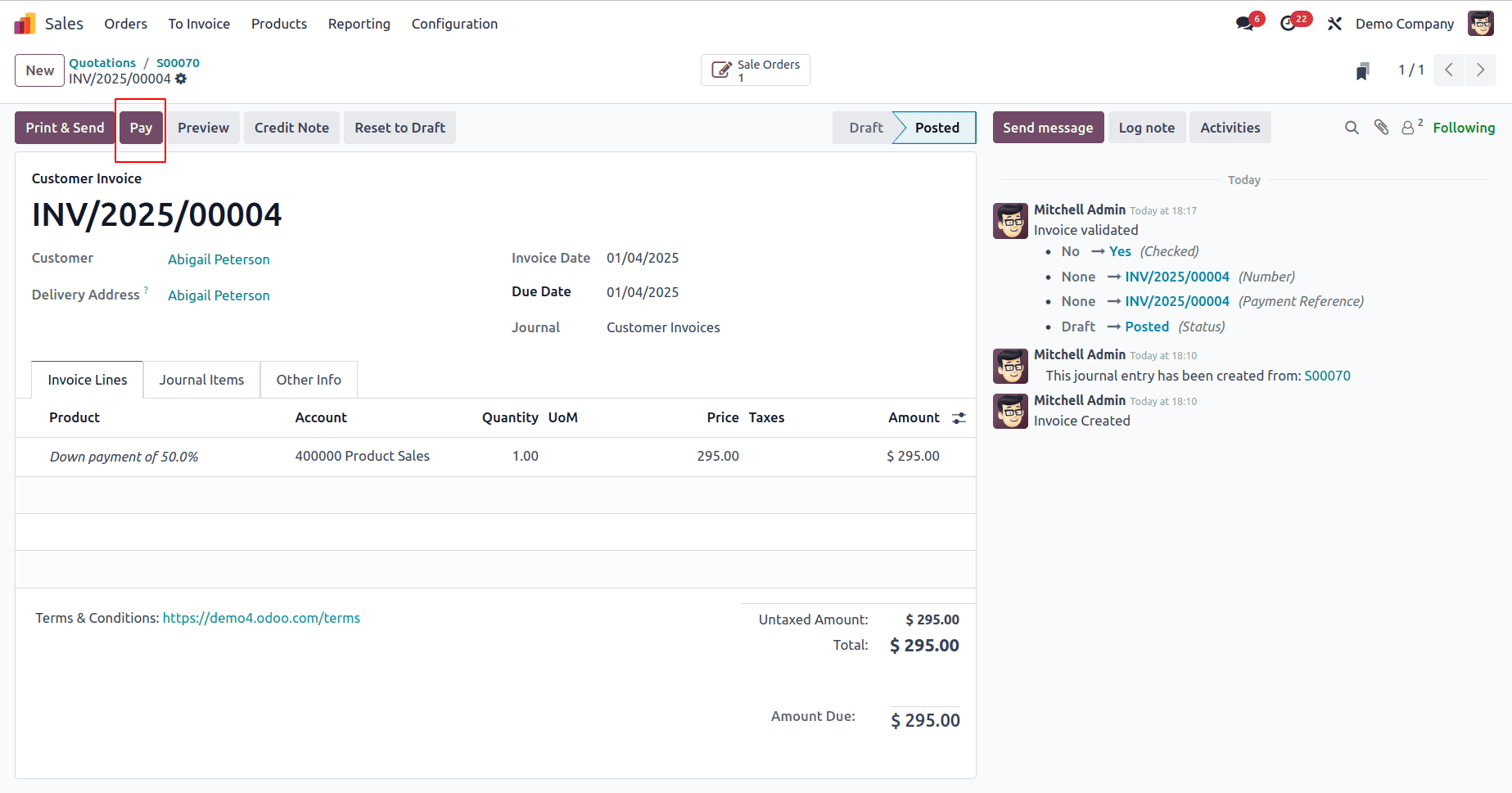
Credit: www.cybrosys.com
Setting Up Odoo For Billing
Setting up Odoo for billing is a straightforward process. It helps you manage invoices and payments easily. The system is designed for users with little or no technical background. This guide covers the main steps to get you started quickly and correctly.
Installing The Invoicing Module
Start by opening your Odoo dashboard. Find the Apps menu to search for modules. Type “Invoicing” in the search bar. Click the Install button next to the Invoicing module. The system will download and activate it for your database. This module allows you to create and send invoices.
Configuring Payment Gateways
Access the Invoicing settings from the dashboard. Choose Payment Acquirers to add gateways. Select options like PayPal, Stripe, or others available. Enter your account details for each gateway. Save the changes to enable online payments. Customers can pay invoices directly through these gateways.
Adding Customer And Product Data
Navigate to the Customers menu to add new clients. Fill in basic details such as name, email, and address. Next, go to the Products section to add items or services. Include price, description, and taxes for each product. Accurate data helps generate correct invoices quickly. Keeping this information updated saves time later.
Creating And Managing Invoices
Creating and managing invoices is a vital part of any business. Odoo simplifies this process by providing easy tools to create, send, and track invoices. It helps reduce errors and saves time. Businesses can keep their cash flow steady and customers happy.
Generating Invoices Quickly
Odoo lets users generate invoices fast. You can create an invoice from a sales order or manually. The system fills in customer details and product information automatically. This reduces typing and mistakes. You can also customize invoice templates to fit your brand.
Managing Recurring Invoices
For regular customers, Odoo supports recurring invoices. Set the invoice schedule once, and the system sends invoices automatically. This feature suits subscriptions and ongoing services. It ensures timely payments without extra work.
Handling Refunds And Credits
Odoo makes managing refunds and credit notes simple. You can create a credit note linked to the original invoice. The system adjusts customer balances and keeps clear records. This helps maintain trust and accuracy in accounts.
Integrations To Enhance Billing
Odoo offers powerful integrations that improve your billing process. These connections help you work faster and reduce mistakes. Integrations make billing smoother and keep all your data in one place. They connect invoicing with other key business tools.
Connecting With Accounting Software
Odoo links directly with popular accounting software. This connection helps update invoices and payments automatically. It reduces manual data entry and errors. Accounting integration keeps your financial records accurate and up to date. It saves time for your finance team.
Linking With Crm Systems
Odoo connects with customer relationship management (CRM) tools. This link helps track customer details and sales history. You can create invoices based on sales orders quickly. CRM integration improves customer service and billing accuracy. It keeps your sales and billing teams in sync.
Using Third-party Payment Processors
Odoo supports many third-party payment processors. This allows customers to pay invoices online easily. Payments update automatically in the system. It speeds up cash flow and reduces payment delays. Using trusted payment gateways builds customer confidence.
Tips For Optimizing Your Billing Process
Optimizing your billing process with Odoo can save time and reduce errors. A smooth billing system helps keep cash flow steady and clients happy. Use simple steps to improve efficiency and accuracy.
Automating Reminders And Follow-ups
Set up automatic reminders for unpaid invoices. Odoo sends emails to clients without manual work. This reduces late payments and improves cash flow. Follow-ups can also be scheduled to keep clients informed.
Automation frees your team from repetitive tasks. It ensures no invoice is overlooked or forgotten. Timely reminders encourage faster payments and fewer disputes.
Analyzing Billing Reports
Use Odoo’s billing reports to track your financial health. Reports show which invoices are paid, overdue, or pending. Analyze trends to spot problems early.
Regularly check these reports to understand client payment habits. This insight helps you plan better and avoid cash shortages. Clear data supports smarter business decisions.
Ensuring Compliance And Security
Keep your billing process legal and secure with Odoo. Follow local tax rules and invoicing laws strictly. Odoo helps generate compliant invoices easily.
Protect sensitive client and payment data using strong security settings. Use encrypted connections and limit access to billing information. Secure billing builds trust and prevents fraud.

Credit: www.netilligence.io
How Our Company Can Help You with Odoo for Invoicing
Applying Practical Learning to Master Odoo Invoicing
Understanding the benefits of Odoo for invoicing and setting up the billing system are essential first steps, but practical experience truly solidifies this knowledge. Engaging hands-on with creating and managing invoices enables you to identify common challenges and optimize workflows effectively. Consider these strategies to deepen your expertise:
- Simulate real billing scenarios to practice invoice customization and management
- Experiment with integrations that enhance billing accuracy and speed, such as payment gateways or accounting tools
- Continuously refine your billing process by revisiting tips for optimization, focusing on automation and error reduction
For business owners and managers committed to streamlining their operations, approaching Odoo consulting with a mindset of tailored solutions can unlock significant growth potential. If you seek support in navigating these practical steps or customizing Odoo to your unique needs, connecting with experienced consultants can provide valuable guidance without overwhelming technical jargon. Feel free to reach out to learn how to translate your Odoo invoicing knowledge into efficient, real-world application.
Frequently Asked Questions
What Is Odoo For Invoicing And How Does It Work?
Odoo invoicing is a tool to create, send, and manage bills easily online.
Can Odoo Automate Invoice Creation And Payment Reminders?
Yes, Odoo can auto-generate invoices and send payment reminders to customers.
How Secure Is Invoicing Data In Odoo?
Odoo uses strong encryption and access controls to keep your invoicing data safe.
Does Odoo Support Multiple Currencies And Taxes?
Yes, Odoo handles different currencies and tax rules for global invoicing.
Can Odoo Integrate With Other Business Apps For Invoicing?
Odoo links smoothly with apps like accounting, sales, and inventory to streamline invoicing.
How Can Odoo Help Reduce Invoicing Errors?
Odoo checks data automatically to prevent mistakes and ensures accurate invoices every time.
Conclusion
Odoo makes invoicing simple and fast for any business. It helps track bills, payments, and customers easily. You save time by automating many tasks. The system also reduces errors and keeps records neat. Using Odoo means fewer worries about billing problems.
It fits well with other business tools too. Small or big companies can benefit from it. Try Odoo to handle invoicing with less effort and stress. Clear invoices mean better cash flow and happier clients. It’s a smart choice for smooth business management.
