Managing your team’s time off can be a real headache. Tracking vacation days, sick leaves, and holidays often feels chaotic and time-consuming.
What if there was a simple way to handle all of this without the stress? Odoo for Time Off offers exactly that—a smart, easy-to-use tool designed to keep your leave management smooth and hassle-free. You’ll discover how Odoo can transform the way you manage time off, save you valuable time, and keep your team happy and organized.
Ready to make leave management effortless? Let’s dive in.
Benefits Of Odoo For Time Off
Odoo for Time Off brings many benefits to businesses and employees. It simplifies managing leave and saves time. This tool helps track and approve leaves with ease. It also reduces errors and confusion in leave management.
Automated Leave Requests
Odoo automates the entire leave request process. Employees submit requests online without paperwork. Managers receive notifications instantly for quick approval. This speeds up the process and reduces delays. Automation keeps everything clear and organized.
Centralized Leave Records
All leave data is stored in one place. Employees and managers access records anytime. This central system prevents lost or missing information. It also helps track leave balances accurately. Centralized records improve transparency and trust.
Real-time Leave Tracking
Odoo shows leave status in real-time. Users see approved, pending, and rejected leaves instantly. This helps plan work without confusion. Real-time tracking avoids double bookings or understaffing. It keeps teams informed and prepared.

Credit: www.youtube.com
Setting Up Time Off In Odoo
Setting up Time Off in Odoo is simple and organized. It helps businesses manage employee leave with ease. The system allows you to define leave types, create approval steps, and assign rules. This setup ensures smooth handling of all time off requests.
Configuring Leave Types
Start by creating different leave types in Odoo. Common types include vacation, sick leave, and personal days. Each type can have specific rules and limits. You can also set whether a leave type requires approval or not. Clear leave types help employees choose the right option.
Defining Approval Workflows
Next, set up approval workflows for leave requests. Decide who approves each type of leave. It can be a manager, HR, or both. You can create multi-level approvals for better control. Automated notifications keep everyone informed about the status.
Assigning Leave Policies
Finally, assign leave policies to employee groups or individual staff. These policies define how many days off each employee gets. You can set different policies for departments or roles. This makes sure leave rules match your company’s needs.
Managing Employee Leave
Managing employee leave is a key task for any business. It helps keep work organized and ensures fairness. Odoo for Time Off makes this process simple and clear. It gives tools to handle leave requests, approvals, and tracking leave balances easily.
Submitting Leave Requests
Employees can submit their leave requests directly through Odoo. They choose the leave type, dates, and add a reason. The system records the request and sends it to the manager. This digital process saves time and reduces errors.
Approving And Rejecting Requests
Managers receive notifications for new leave requests. They can review details and approve or reject them quickly. The decision updates automatically in the system. This keeps everyone informed and avoids confusion.
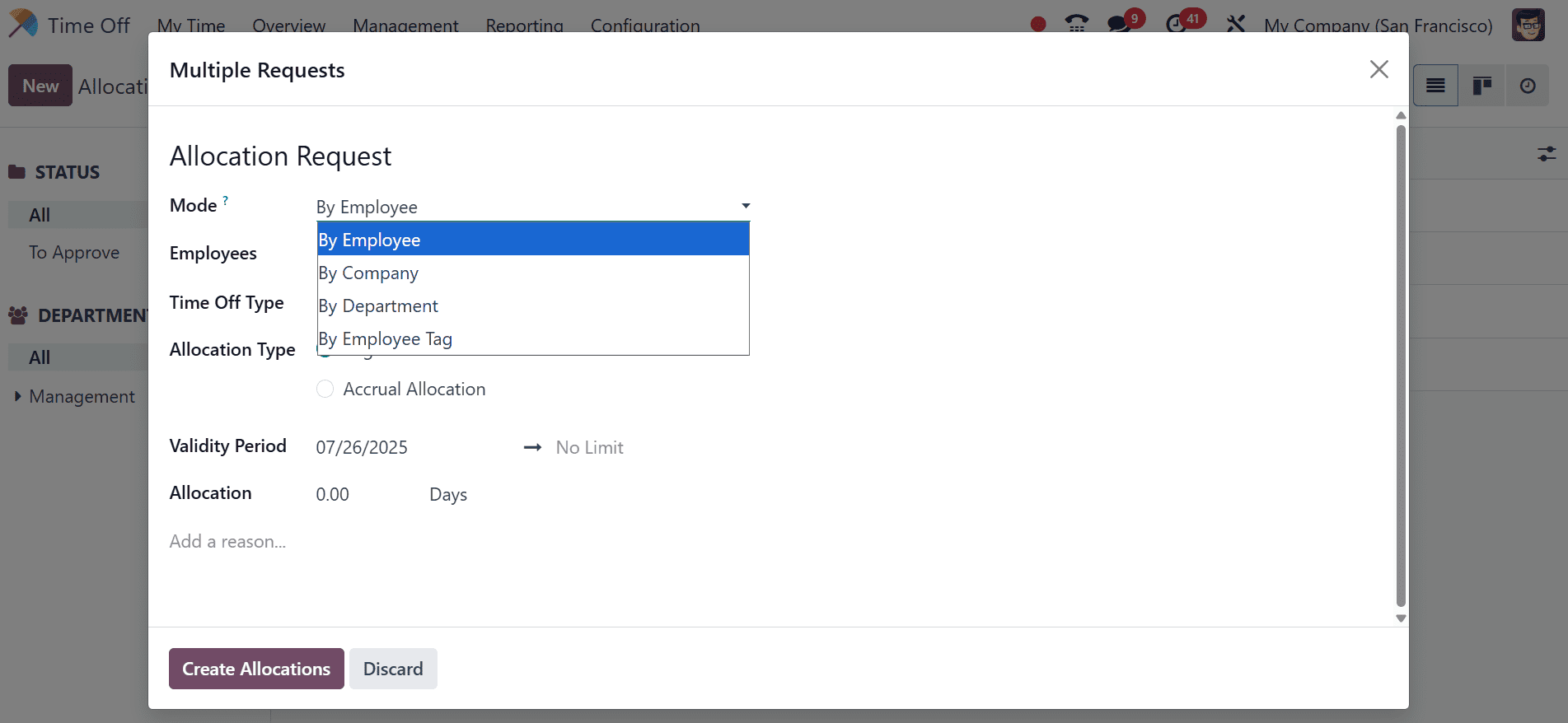
Handling Leave Balances
Odoo tracks each employee’s leave balance in real time. It shows how many days are used and how many remain. This helps both managers and employees plan better. The system prevents taking more leave than allowed.
Credit: www.cybrosys.com
Integration With Other Odoo Modules
Odoo’s Time Off module connects smoothly with other Odoo applications. This integration makes managing employee leaves easier and more efficient. It helps teams stay organized and reduces errors by sharing data across systems. Let’s explore how it works with Payroll, Attendance, and Reporting modules.
Linking With Payroll
Time Off links directly to the Payroll module. This connection ensures leave days are counted correctly when calculating salaries. Paid and unpaid leaves reflect accurately in payslips. Payroll managers save time by avoiding manual updates. The process is fast and reliable.
Syncing With Attendance
The Attendance module syncs perfectly with Time Off. Employees’ check-ins and check-outs update automatically. Leave requests adjust attendance records without extra work. This sync helps track absences in real-time. Managers get clear insights on who is present or off.
Reporting And Analytics
Data from Time Off feeds into Odoo’s Reporting tools. Users generate detailed reports on leave patterns and employee absences. Analytics help identify trends and plan workforce needs. Reports are easy to create and share. Teams make better decisions with clear information.
Tips For Maximizing Efficiency
Maximizing efficiency in managing time off is vital for smooth business operations. Odoo’s Time Off module offers features to help teams save time and avoid errors. Simple steps can improve how your team uses this tool daily.
Focus on clear communication, easy access, and keeping rules updated. These actions help reduce confusion and speed up approvals. Below are key tips to get the most from Odoo Time Off.
Customizing Notifications
Set up notifications to match your team’s needs. Alert managers immediately when employees request leave. Send reminders before leave starts to keep everyone informed. Custom notifications reduce delays and missed updates. Tailor messages to be clear and brief for quick reading.
Utilizing Mobile Access
Enable mobile access so employees can request leave anywhere. Managers can approve or deny requests on the go. Mobile use cuts down waiting times and speeds up decisions. It also helps remote teams stay connected and organized. Make sure the app is easy to use for all staff.
Regularly Updating Leave Policies
Keep leave policies current to avoid misunderstandings. Review rules often and update them in Odoo’s system. Share changes quickly with the whole team. Clear policies prevent errors in leave calculation. Regular updates ensure the system matches your real needs.

Credit: www.odoo.com
How Our Company Can Help You with Odoo for Time Off
Practical Learning Opportunities with Odoo for Time Off
To truly harness the benefits of Odoo for Time Off, investing time in hands-on learning is essential. Setting up Time Off in Odoo can initially seem straightforward, but exploring its integration with other modules—such as Attendance and Payroll—unlocks greater operational efficiency. Managers and business owners should consider step-by-step exercises that focus on:
- Configuring leave types and approval workflows to reflect company policies
- Simulating employee leave requests to understand automated tracking and notifications
- Analyzing reports that combine Time Off data with other HR metrics for informed decision-making
Such practical engagement not only deepens understanding but supports digital transformation efforts by aligning Odoo’s capabilities with specific business needs. For guidance tailored to your organization’s structure, consulting with experts familiar with optimizing Odoo for diverse industries can prove invaluable. Should you seek personalized advice or troubleshooting, reaching out to experienced Odoo consultants can provide clarity and direction without overwhelming technical jargon.
Frequently Asked Questions
What Is Odoo For Time Off Management?
Odoo for Time Off helps track and manage employee leave requests easily online.
How Does Odoo Simplify Employee Leave Requests?
It allows employees to submit leave requests digitally with automatic approval flows.
Can Odoo Track Different Types Of Leave?
Yes, it tracks vacation, sick leave, maternity, and custom leave types.
Is Odoo Time Off Integrated With Other Hr Tools?
Odoo Time Off works well with payroll and attendance modules for smooth HR.
How Does Odoo Handle Leave Approvals And Notifications?
Managers get alerts and can approve or reject leave directly in the system.
Can Odoo Generate Reports On Employee Leave Data?
Odoo provides detailed reports showing leave balances, usage, and trends over time.
Conclusion
Odoo for Time Off simplifies managing employee leave. It saves time and reduces errors. Teams can track requests and approvals easily. Managers get clear views of team availability. This tool helps keep work organized and fair. Using Odoo means less paperwork and stress.
It fits well with other Odoo apps too. Overall, Odoo makes time off management smooth and clear. Try it to keep your team happy and productive.
